The Ultimate Guide to Cyclic Habits
Everything you need to know about setting up your daily orbits, mastering the focus timer, and tracking your consistency with advanced analytics.
CH
CyclicHabits

The Ultimate Guide to Cyclic Habits
Note: The interface and features shown in this guide are actively being developed and are subject to change in future updates.
Welcome to Cyclic Habits. Time is circular, and your habits should be too. This guide covers everything from habit creation to advanced analytics.
The Clock Dial Interface
The default home screen is a clock dial serving as your habit overview and focus entry point. It features standard clock markings with analog hands for hours, minutes, and seconds.
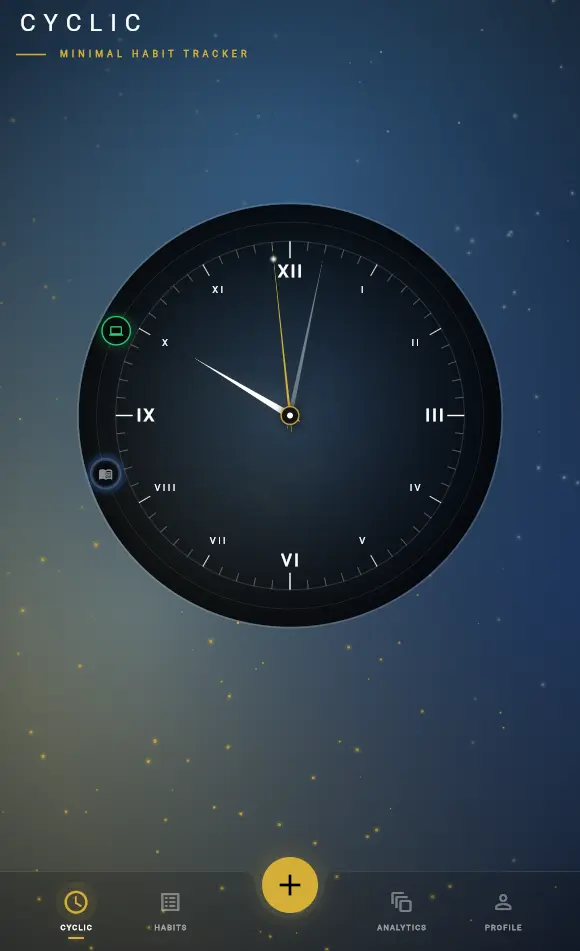
Created habits appear as icons on the circular ring:
- Green = Completed
- Habit Color = Represent the habit color selected at time of habit creation
- Dim color = Inactive or missed
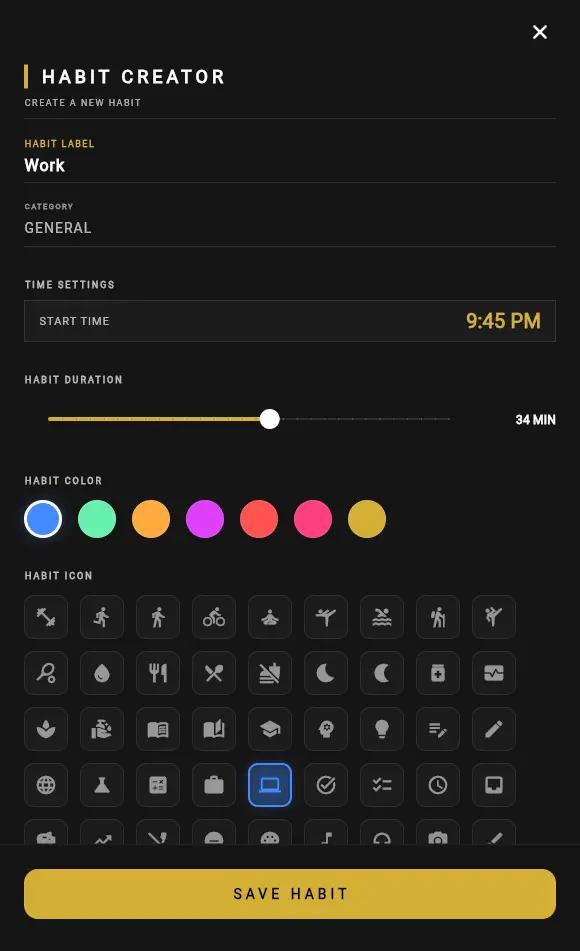
Creating and Managing Habits
Create habits while carefully adjusting timers to prevent overlaps with existing ones.
Viewing Status
Tap a habit icon to see its start/end dates and allocated duration.
Habit Management
View, edit, or delete habits in the list view.
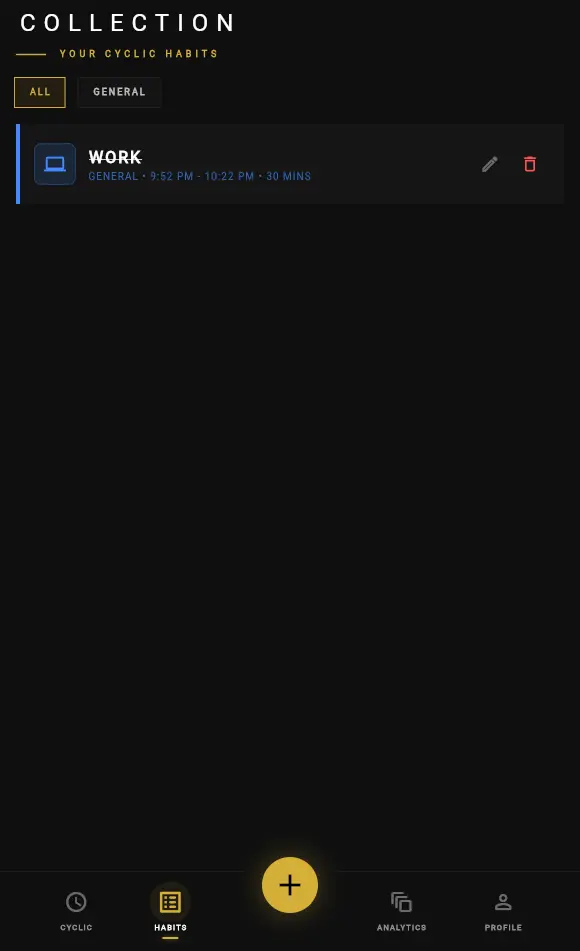
Key Notes:
- Delete: Removes related stats from session history and analytics.
- Edit: Does not affect historical analytics data.
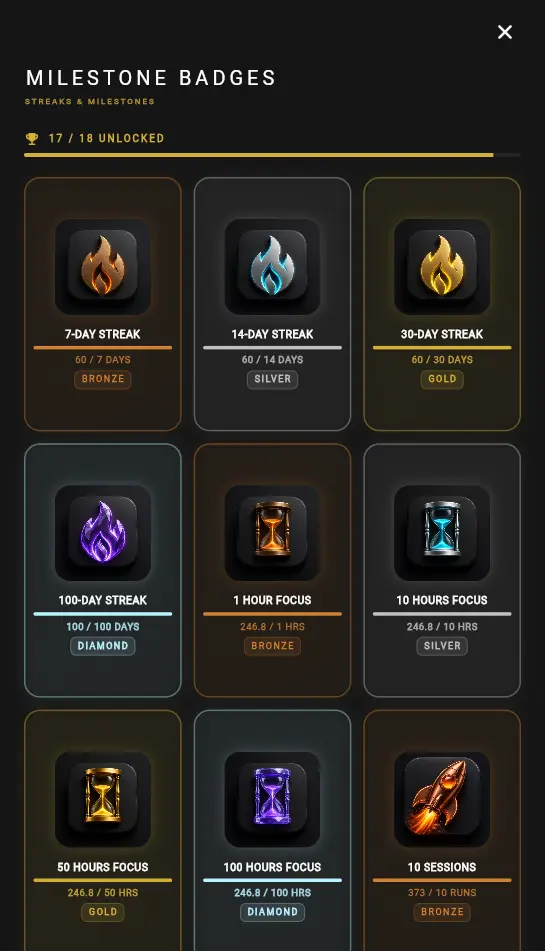
- Milestone Badges: Remain even after deleting or editing the habit.
- Export stores habits and milestones locally. Future updates will support account sync.
Active Habits & The Focus Timer
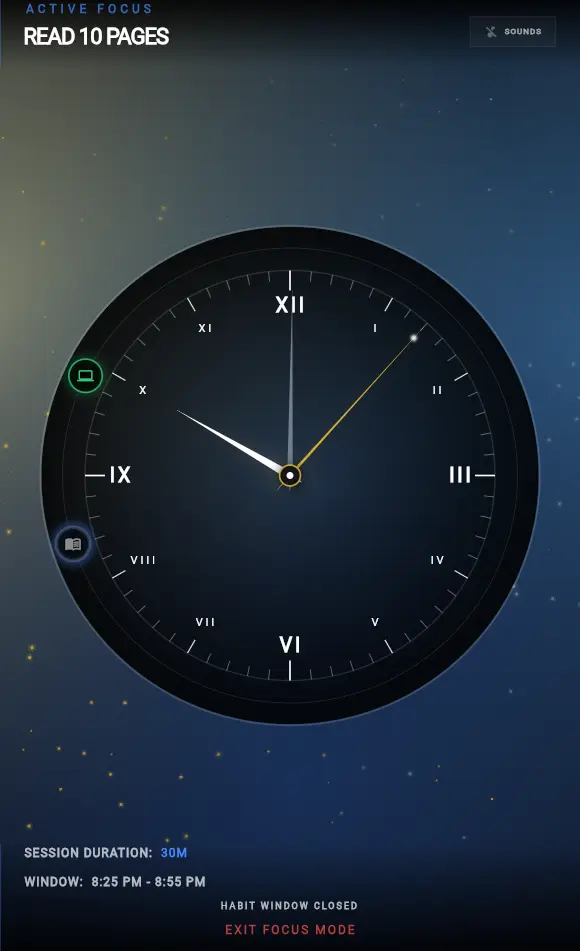
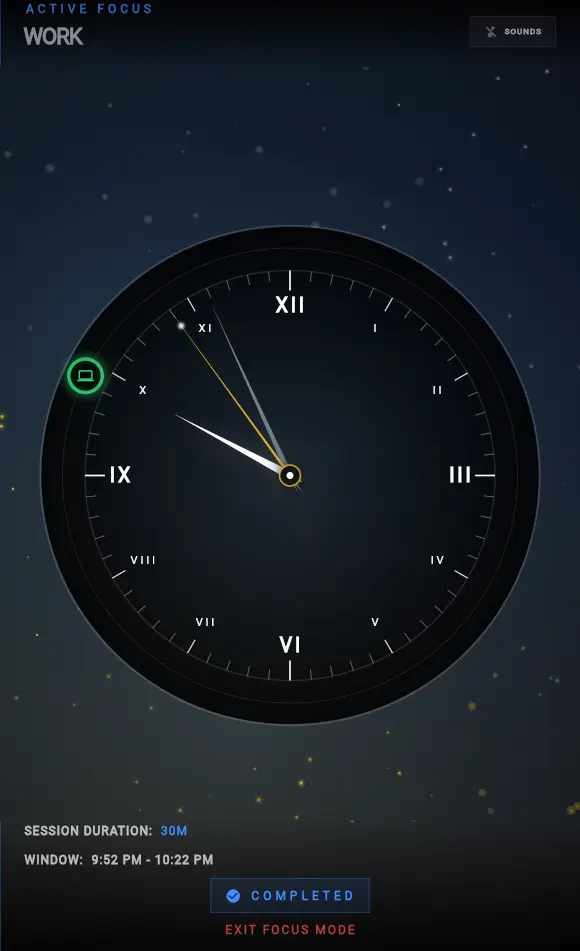
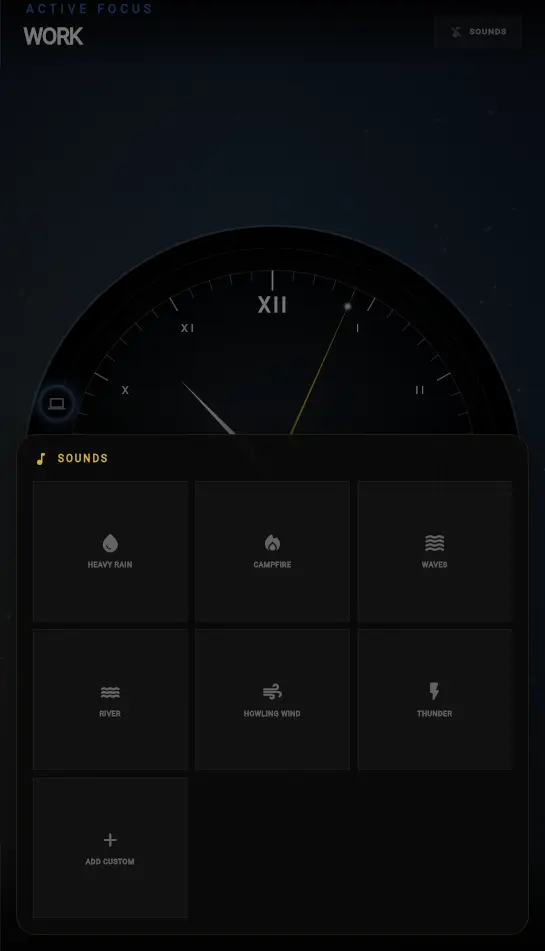
With an active habit, you can mark it done, begin the remaining duration, or complete it immediately.
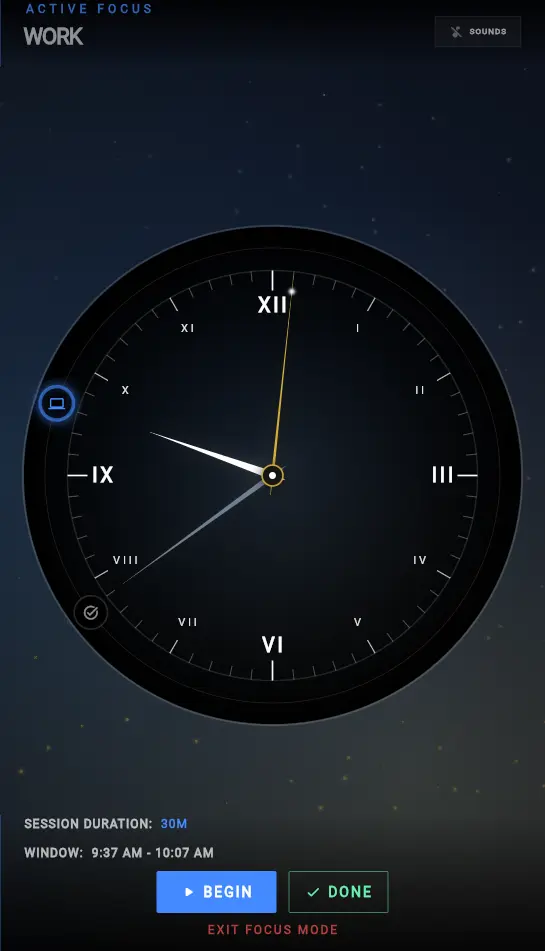
- "Begin" launches the focused timer view with countdown.
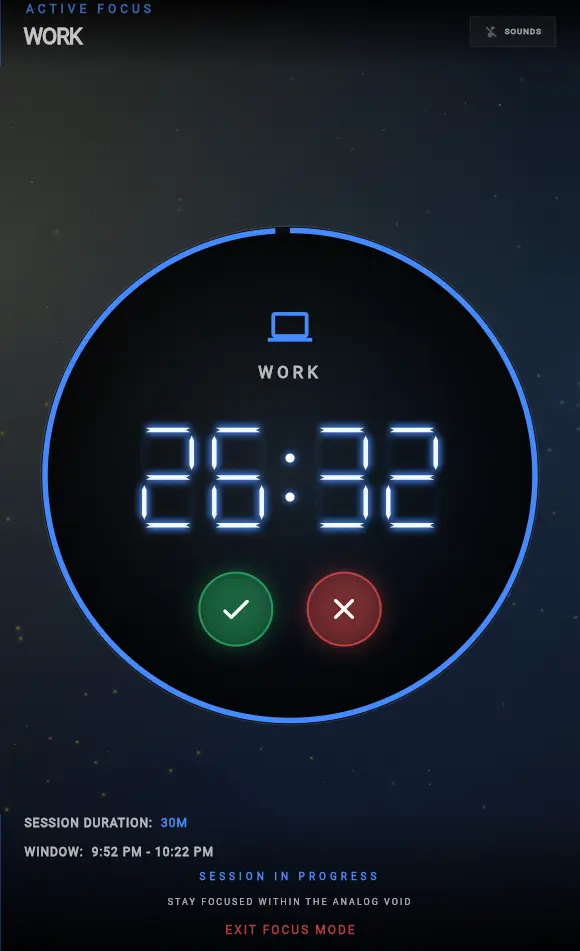
- Optionally enable focus sounds for better concentration, You can import one custom sound if you want.
Analytics & History
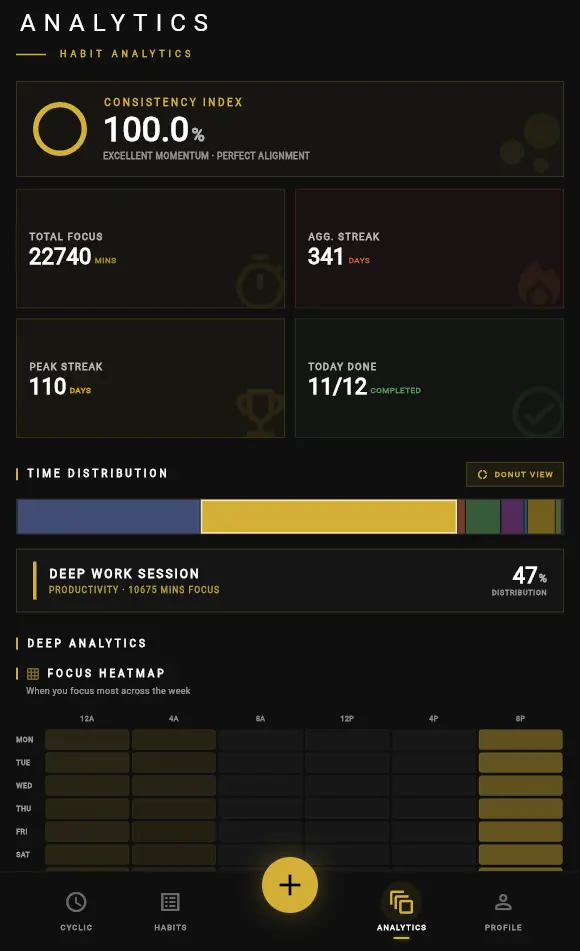
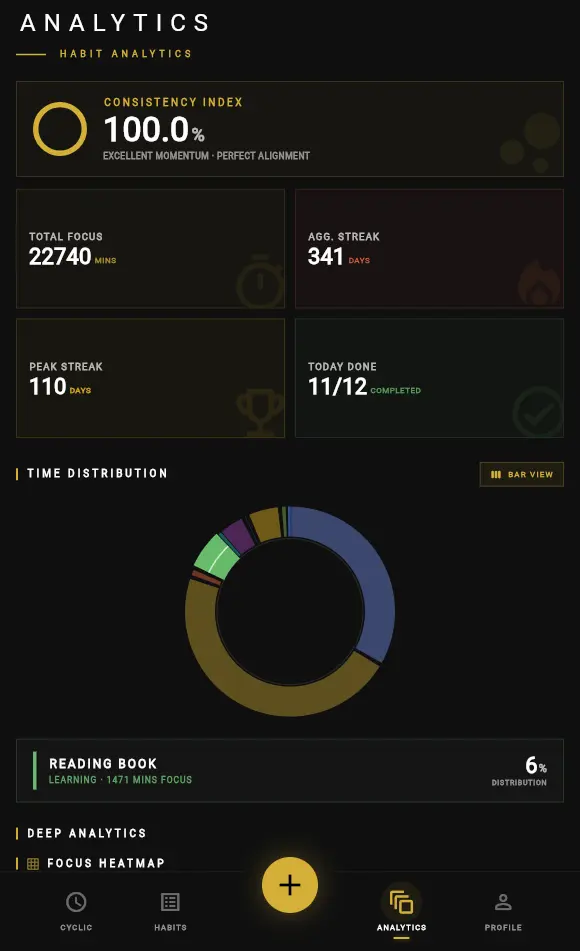
Time Distribution
Bar and donut charts showing time allocation across habits.
-
Default View of Time Distribution
-
Donut view of Time Distribution
Deep Analytics
Focus heatmap and monthly comparison (current vs previous month).
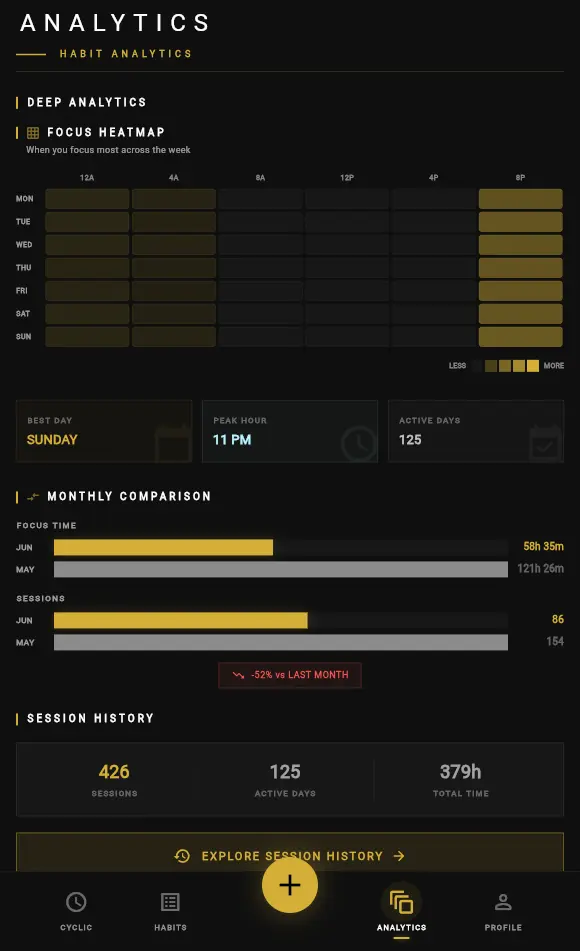
Session History
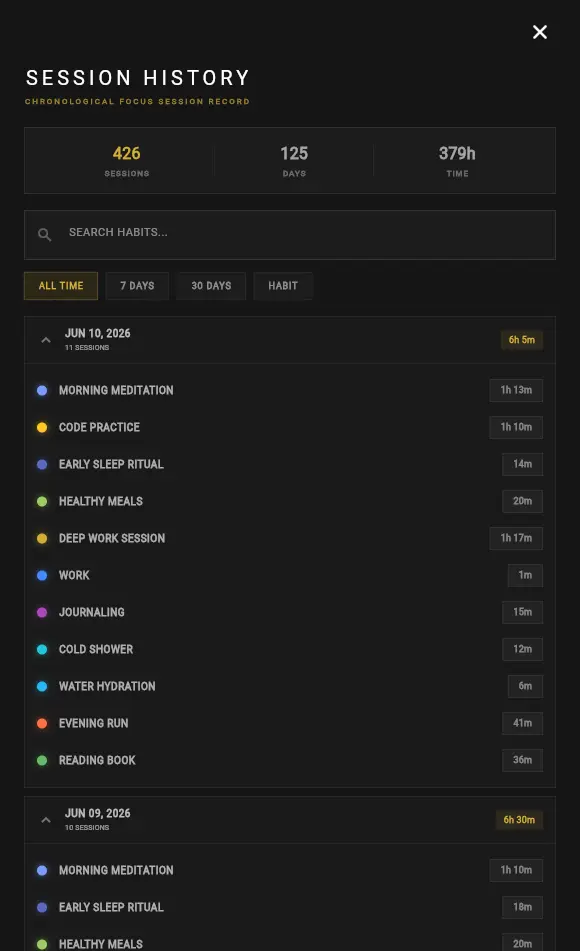
Complete history of sessions. Filter by last 7 days, 30 days, all time, or by specific habit.
The Habit Matrix
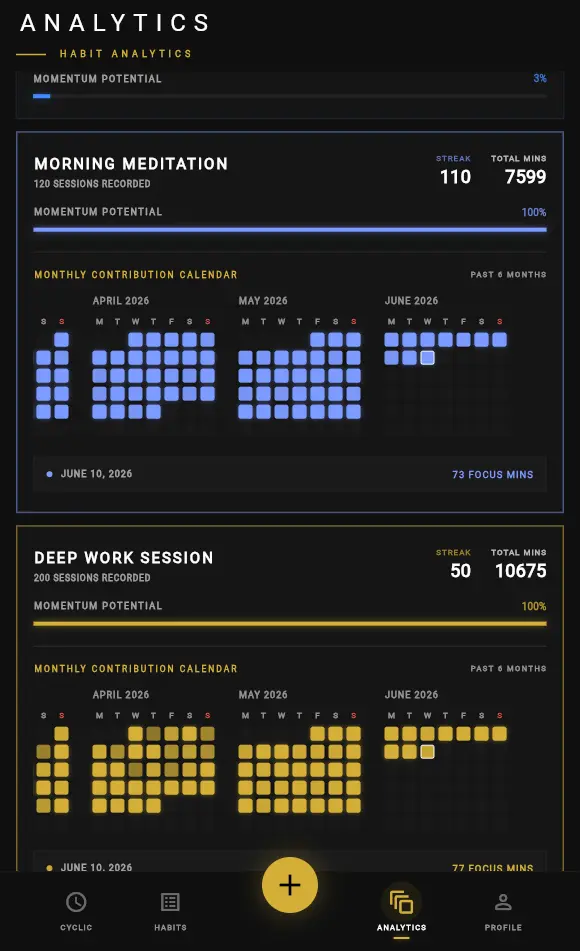
GitHub-style contribution graph displaying focus minutes per habit per day.
Experience
Own your time. Stop drifting.
Join 100+ users tracking their habits through visual, circular rhythms. Experience the focus.
Have any info or suggestions? We'd love to hear from you.
cyclichabits@gmail.com